 Regular Cards
 Animated Cards
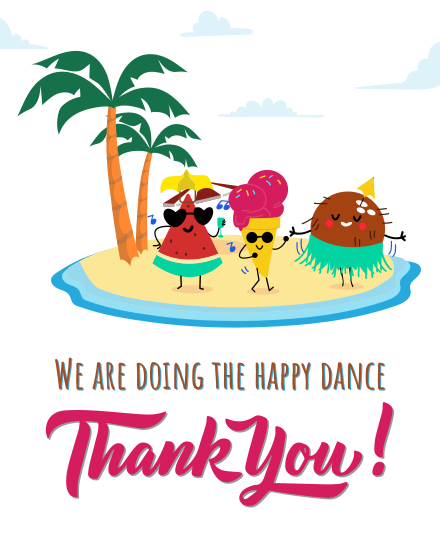
Select happy dance

Send a free online thank you card on your own or signed by the whole team. Pick a design, add your note, and share one link so coworkers, friends or family can add messages, photos and GIFs. It arrives by email when you choose, and nobody needs to sign up to sign.













“ I really enjoy using sendwishonline.com. It’s a great platform, and the fact that it offers free options makes it even better. I often use it to create Birthday, Farewell, Thank You, and other types of cards for my team. I do hope they’ll add more free card designs and allow longer messages, as that would make the experience even richer. Overall, it’s a user-friendly and reliable platform that I highly recommend.. @ Mitche.”
“ I love this company. I am able to use it to send well wishes to my team and it's been reliable. I have been using the site for years and have zero complaints. Totally recommended.. @ Dayana Paula.”
“ I've been using sendwishonline for more than a year now, and it is super easy to use, and you can customize your greeting! What I love about this is I can share the link to my friends so they can also type their greeting! Tons of varieties to choose and they are super cute! I love using this tool!. @ AVL.”
For those new to creating a group thank you card, the concept of virtual signing and remote collaboration might seem daunting. That's why we've taken the time to craft a demo of the online thank you card. Give our demo card a try.
Demo thank you cardMost thank-yous at work happen in passing: a quick word after a meeting, a thumbs-up in chat, a "cheers" on the way out. They're kind, but they're gone by the next day. A thank you card is different. It puts into words what someone did and why it mattered, and it's something they can read again on a tough day.
With SendWishOnline you can send a virtual thank you card in about two minutes, for free. Send it on your own, or share one link so the whole team can sign from their phone or laptop with no account. Everyone can add a message, photo, GIF, voice note or short video. The finished card opens as a wishboard they can scroll through any time, and it can be saved as a PDF or video to keep.
You don't need to pass a paper card from desk to desk. Here's how it works:
The best thank you card names the exact reason behind it. Here's how to match the card to the moment.
A late night before a deadline, a weekend fix, a client saved at the last minute. Choose a bold design and say exactly what they did. Signed by the whole team, it shows everyone noticed.
Someone picked up your calls, your shift or your inbox while you were away. A short, warm card says you know it wasn't their job and you're grateful they did it anyway.
Thanking a manager face to face can feel awkward. A card from the team takes the pressure off and keeps it professional. For the yearly occasion in October, send one of our Boss Day cards.
The colleague who showed a new starter the ropes rarely gets thanked for it. A card from the new hire, or from the team, closes that gap. Here's how to use ecards when onboarding new employees.
Outside work, a thank you card is the simplest way to answer a gift, a favour or a meal. A digital card arrives the same day, so the thanks doesn't wait for the post.
If a teammate is leaving, mix thanks with goodbye. Our farewell cards let the team thank them for everything on their last day.
When one person made a difference to many, a paper card rarely reaches everyone. An online thank you card works like a giant card with unlimited space: the whole office, remote colleagues and other departments can all sign the same card. HR teams and managers can use batch cards to thank several people at once, or set up recognition across the company with our business plans. For a formal recognition programme, our employee appreciation cards are made for exactly that.
The best thank you messages are short and specific. Say what they did, how it helped and close warmly. Here are a few ideas for each relationship.
"Thanks for jumping in on the project when we were short-handed. You made a stressful week feel manageable."
"Thank you for backing the team and giving us room to grow. We don't say it enough."
"We couldn't have hit this launch without you. Thank you from all of us."
"Thank you for showing up when I needed it most. I owe you a coffee, or ten."
"Thank you for always being in my corner. I'm lucky to have you."
For more ideas, read our guide on what to write in a thank you card, browse these thank you messages for coworkers, or borrow a line from these thank you quotes from the heart.
Open the card link, write one or two lines and add your first name. Mention one thing they did for you personally rather than repeating "thanks for everything". If others have already signed, read a few messages first so yours adds something new.
A thank you lands best when it arrives at the right moment. That's why you can send it the way they'll see it fastest:
Small touches make a thank you card feel like it came from people who know them. With our thank you photo cards you can add a picture to the frame, edit the name, and change the font style, colour and filter before the team signs. Prefer movement? Try thank you GIF cards. Stuck for words? The AI message generator inside the card gives you a first draft.
It's one online thank you card that many people sign together, each adding a message, photo or GIF, before it's sent to the person you're thanking.
Say what they did, how it helped and close warmly. Two or three specific sentences mean more than a long, general message.
Yes. You can create, sign and send a thank you card for free, with no trial or membership. A premium ad-free version is optional.
No. Anyone with the link can add a message, photo or GIF without creating an account.
Yes. Group signing is optional, so you can write one note and send it straight away.
There is no limit. Share one link and the whole team, department or office can sign.
Yes. Many offices use virtual thank you cards for coworkers and managers because the whole team can sign, even when people work remotely.
As soon as you can. At work, within two or three days keeps it fresh; for a gift, within two weeks is the usual rule. A late thank you is still better than none.
Send a free online thank you card on your own or signed by the whole team. Pick a design, add your note, and share one link so coworkers, friends or family can add messages, photos and GIFs. It arrives by email when you choose, and nobody needs to sign up to sign.